Hi All, New to the group and I'm looking for the download for fvdw-ls console.
I have a Lacie 2big Network V2 which I want to use to store my Plex media, but evidently I need smb 2 or 3 and the Lacie firmware only offers smb 1 .
Where do I find the console download?
Thanks in advance.
Cheers Mark
:please
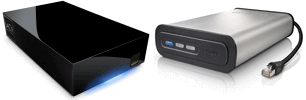
plugout.net
Alternative firmware fvdw-sl
SPD8020, Lacie network space vs1,vs2 and max, 5big version 1&2, 2big version 1&2, internet space vs1, edmini_v2, D2 network version 1&2, raspberry Pi b
Lacie 2big Network V2 - fvdw-ls console download
7 posts
• Page 1 of 1
Lacie 2big Network V2 - fvdw-ls console download
 by mparsons64 » Thu Jan 29, 2026 2:49 pm
- mparsons64
- Posts: 5
- Joined: Thu Jan 29, 2026 11:10 am
Re: Lacie 2big Network V2 - fvdw-ls console download
by fvdw » Thu Jan 29, 2026 9:59 pm
look in the download subforum https://plugout.net/viewtopic.php?f=7&t=3767
- fvdw
- Site Admin - expert
- Posts: 13504
- Joined: Tue Apr 12, 2011 2:30 pm
- Location: Netherlands
Re: Lacie 2big Network V2 - fvdw-ls console download
by mparsons64 » Fri Jan 30, 2026 9:45 am
Thank you. I have downloaded the files and will follow the guides.
If it works I'll happily send you a donation.
:-D
If it works I'll happily send you a donation.
:-D
- mparsons64
- Posts: 5
- Joined: Thu Jan 29, 2026 11:10 am
Re: Lacie 2big Network V2 - fvdw-ls console download
by mparsons64 » Sun Feb 01, 2026 5:53 pm
Hi there again.
I have downloaded the fvdw-SL console 6 and have followed all the instructions.
It seems to complete each time but when i boot up the nas it isn't found on the network.
i think it is failing with the partitions.
i wiped all the partions in the end but end up with the same result.
i am using UIMAGE-3142-KIRKWOOD-171-standalone
my nas is a 2Big Network 2 i adapted the uboot command
setenv LaBackdoor yes
setenv bootcmd 'disk 0x800000 0:6 ; setenv bootargs console=ttyS0,115200 netconsole=6666@${ipaddr}/,6666@${serverip}/ root=/dev/sda7 ; bootm 0x800000;'
saveenv
this didn't work either.
What would you suggest now?
I have downloaded the fvdw-SL console 6 and have followed all the instructions.
It seems to complete each time but when i boot up the nas it isn't found on the network.
i think it is failing with the partitions.
i wiped all the partions in the end but end up with the same result.
i am using UIMAGE-3142-KIRKWOOD-171-standalone
my nas is a 2Big Network 2 i adapted the uboot command
setenv LaBackdoor yes
setenv bootcmd 'disk 0x800000 0:6 ; setenv bootargs console=ttyS0,115200 netconsole=6666@${ipaddr}/,6666@${serverip}/ root=/dev/sda7 ; bootm 0x800000;'
saveenv
this didn't work either.
What would you suggest now?
- mparsons64
- Posts: 5
- Joined: Thu Jan 29, 2026 11:10 am
Re: Lacie 2big Network V2 - fvdw-ls console download
by mparsons64 » Sun Feb 01, 2026 6:12 pm
when i ran fdisk to check partitions i got: see below.
i feel i am close but missing something. :)
root@fvdw-sta-kirkwood:/ # fdisk -l
Disk /dev/mtdblock0: 0 MB, 512000 bytes
255 heads, 63 sectors/track, 0 cylinders
Units = cylinders of 16065 * 512 = 8225280 bytes
Disk /dev/mtdblock0 doesn't contain a valid partition table
Disk /dev/mtdblock1: 0 MB, 4096 bytes
255 heads, 63 sectors/track, 0 cylinders
Units = cylinders of 16065 * 512 = 8225280 bytes
Disk /dev/mtdblock1 doesn't contain a valid partition table
Disk /dev/sdb: 1500.3 GB, 1500301910016 bytes
255 heads, 63 sectors/track, 182401 cylinders
Units = cylinders of 16065 * 512 = 8225280 bytes
Device Boot Start End Blocks Id System
/dev/sdb1 1 182401 1465134080 7 HPFS/NTFS
root@fvdw-sta-kirkwood:/ #
i feel i am close but missing something. :)
root@fvdw-sta-kirkwood:/ # fdisk -l
Disk /dev/mtdblock0: 0 MB, 512000 bytes
255 heads, 63 sectors/track, 0 cylinders
Units = cylinders of 16065 * 512 = 8225280 bytes
Disk /dev/mtdblock0 doesn't contain a valid partition table
Disk /dev/mtdblock1: 0 MB, 4096 bytes
255 heads, 63 sectors/track, 0 cylinders
Units = cylinders of 16065 * 512 = 8225280 bytes
Disk /dev/mtdblock1 doesn't contain a valid partition table
Disk /dev/sdb: 1500.3 GB, 1500301910016 bytes
255 heads, 63 sectors/track, 182401 cylinders
Units = cylinders of 16065 * 512 = 8225280 bytes
Device Boot Start End Blocks Id System
/dev/sdb1 1 182401 1465134080 7 HPFS/NTFS
root@fvdw-sta-kirkwood:/ #
- mparsons64
- Posts: 5
- Joined: Thu Jan 29, 2026 11:10 am
Re: Lacie 2big Network V2 - fvdw-ls console download
by fvdw » Mon Feb 02, 2026 4:25 pm
seems you have a 2bignas (with 2 disks). Put the disk with the firmware in the other slot, as it is now seen as sdb and it should be sda.
- fvdw
- Site Admin - expert
- Posts: 13504
- Joined: Tue Apr 12, 2011 2:30 pm
- Location: Netherlands
Re: Lacie 2big Network V2 - fvdw-ls console download
by mparsons64 » Tue Feb 03, 2026 11:27 am
Hi FVDW
After lots of tries installing fvwd-ls i decided to wipe both disks and reset via Lacie instructions, hold front button whilst switching on and holding it until light turns RED and then release, and press again when light is solid BLUE. This seemed to work and i expected to see Lacie firmware loaded but it appears it has now loaded the FVDW-LS firmware.....which is great.
I seem to be upload via FTP at around 15Mb/Sec is this about right or should it be faster?
I will probably donate if it continues working, what extra's do i get once I've donated?
Thanks for your help
Cheers Mark
After lots of tries installing fvwd-ls i decided to wipe both disks and reset via Lacie instructions, hold front button whilst switching on and holding it until light turns RED and then release, and press again when light is solid BLUE. This seemed to work and i expected to see Lacie firmware loaded but it appears it has now loaded the FVDW-LS firmware.....which is great.
I seem to be upload via FTP at around 15Mb/Sec is this about right or should it be faster?
I will probably donate if it continues working, what extra's do i get once I've donated?
Thanks for your help
Cheers Mark
- mparsons64
- Posts: 5
- Joined: Thu Jan 29, 2026 11:10 am
7 posts
• Page 1 of 1
Return to Lacie 2Big Network vs2
Who is online
Users browsing this forum: No registered users and 13 guests